2009
10.11

MGMaps

MGMaps
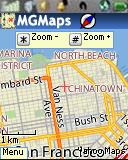
Probably the best GPS aware map program for Motorola iDEN phones. Quick GPS fixes, tracking, driving directions, traffic, local search, choice of many different map types. For best results change the following settings:
Settings -> Map Browsing -> Low Memory = Checked
Settings -> Advanced -> GPS Read Line method = Legacy method

Type: Freeware
Vendor: Cristian Streng - Product Page, Online Help, Forum
Data Connection Required: Yes
Supported iDEN phones: All

(Nextel and Boost Mobile iDEN phones only).

Alternate links for side loading and non-iDEN devices: ZIP JAD JAR

23 comments so far

Add Your Comment
  1. There is an update to this but I can't seem to get idenjal to work. Can someone upload it on to this forum?

  2. this app works great on my i465 as long as I don't use the low memory option. Doing so causes the app to be very slow and unusable imo.

  3. I can say this, iI get the "Verification failed" message on my i870.

  4. i installed mgmaps on my boost i465 and it runs fine but my gps can't connect. i know my gps works fine because life in pocket works normally. any ideas? thanks.

  5. Just installed this app on my new i465 and it works great. I already deinstalled the LifeinPocket that didn't work worth the time I spent installing it. For me, the map is working just fine on regular memory. I have not tried using the GPS on regular memory yet, but switching it is not difficult at all. Easy to zoom and move. Ready to use on my vacation next week and really see what I can do with it!

  6. dennis,do you by any chance know on mgmaps, theres a setting where it takes you to "zoom in" and "zoom out" at the bottom right "view details" left "center" do you know what those mean ? i pressed view details and the map changed it highlighted roads i guess . do you know how to change it back ? any help at all ? thanx!

  7. My bad wrong place for this last comment

  8. it ask me to download a flash player for it what operation system will I use if I do I'm stuck!!

  9. thanks for replying Dennis , i was able to get the GPS going but the app seems very complicated ,at least on my phone. i got a i465 clutch , the signal comes and goes every minute and some of the keys on the phone didn't work plus it takes forever to load and unload maybe the app is not compatible with this phone. thanks anyway!

  10. Walter,

    I wonder if you have a bad GPS chip in the phone.

    Power cycle the phone and go outside somewhere with a clear view of the sky, extend the antenna, open the phone menu and choose GPS -> Position. Press the soft key labeled "Refresh" and wait.

    The first fix can take several minutes but if it never gets a location there is something wrong with the phone itself. If that is the case, try contacting Motorola. A broken GPS is a public safety issue so they might be willing to fix it even if the phone is out of warranty

    If the GPS is working but MGMaps still isn't try asking for help on the MGMaps forum. The developer seems quite helpful to people with problems

  11. dennis i don't know what's going on ? i did all the settings you mentioned but i still get location not determined. is there anything else i gotta do? help please!

  12. I get Verification Failed on i580 and i760.I tried version 1.3913 and yours same failure. Both phones have updated software and Download Apps and both fail with Ota or cable upload

  13. Yes, the low memory option can make map loading slower. You can try it both ways. If the app is stable and GPS works with low memory not checked than you don't need it.

  14. when i do low memory=checked,it makes it run a little slow. is that okay?

  15. You need to change two settings in MGM Maps for it to work:
    Settings -> Map Browsing -> Low Memory = Checked
    Settings -> Advanced -> GPS Read Line method = Legacy method

    Also in the phone menu set GPS -> Privacy = Unrestricted

    GPS works best outdoors with a clear view of the sky.

  16. every time i hit the GPS key it says location not determined.why is that and what can i do about it. please reply . thanks!

  17. "I get the "Verification failed" message on my i580."
    When installing MGMaps? Or somewhere else?

  18. I get the "Verification failed" message on my i580.

  19. Works Very Well On My i776, With The Recommended Settings Change. Tho It Can Run Slow For Menu Navigation From Time To Time.

  20. Dennis , Ive been using low mem phones to browse the internet since 2004. You are a guru imo ... Thanks for all you do for us folks that cannot afford smartphones :-)

  21. Downloaded and works perfectly on my i290. Great work on posting this one Ive gotten all my apps here and they have all worked great.

  22. Mike you might have run out of space. Do You have a MGMaps icon in Java Apps? If you do, click on it and if it fails "Allocating Flash" or "Writing Flash" you have run out of data spsce. Delete something else and it should install.

    If on the other hand the error is in "Loading Classes" or "Verifying classes" it means that MGMaps is incompatible with the i850. If that's the case let me know and I'll remove the i850 from the list of compatible handsets.

  23. I get an error when trying to install on my nextel i850